Already have an account? Log in here
Taking ADHD medication? This app will help you keep an eye on your vitals.
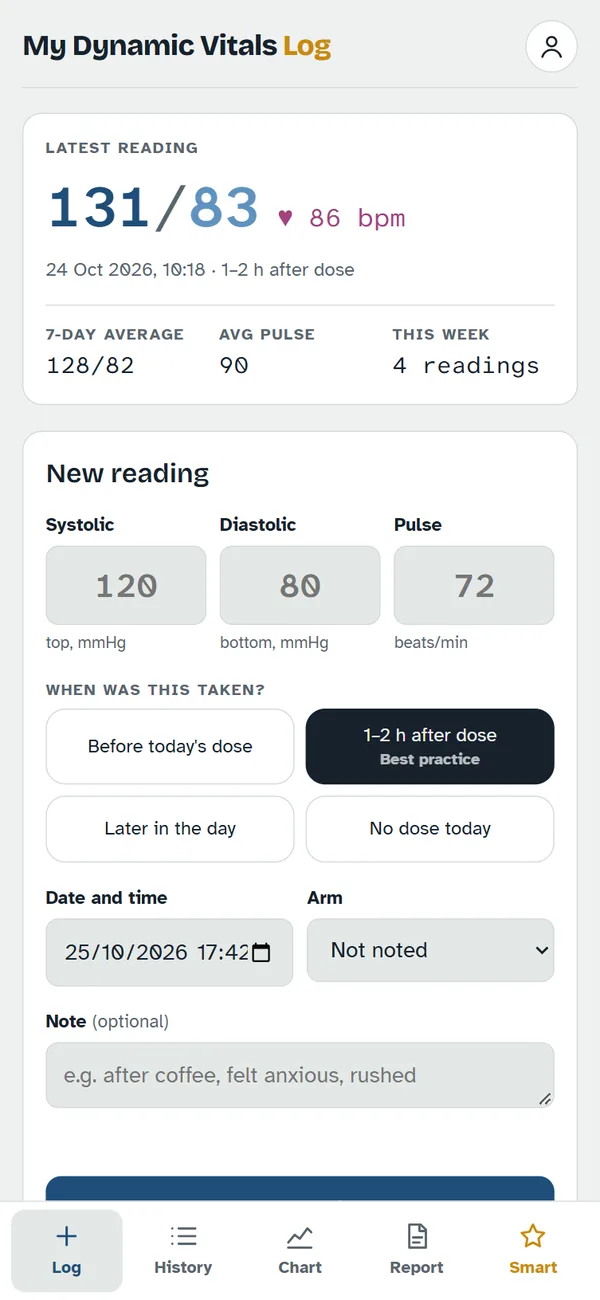
Regular blood pressure and pulse checks are part of staying safe on ADHD medication, but life gets busy and numbers get forgotten. Dynamic Vitals Log gives you a gentle morning reminder, lets you save each reading in seconds and keeps everything in one place, so you’re ready when your doctor asks.
See how it works in under a minute
A quick look at logging a reading, setting a reminder, and seeing your history, chart and report. Turn the sound on for some relaxing music, or watch without it.
Prefer to go screen by screen? Browse every screen of the app before you sign up. The log is free and works on any phone.
Want ADHD tips and app news? You can opt in when you sign up, or just leave your email here.
Tips to get accurate vitals readings at home
A few simple habits make your home readings more reliable, so your prescriber gets a truer picture.
How to take an accurate reading+
- Sit and rest for 5 minutesBack supported, feet flat on the floor, legs uncrossed.
- Wait 30 minutes aftercoffee, energy drinks, smoking or exercise. Empty your bladder first.
- Cuff on your bare upper armUse the right cuff size, with your arm resting on a table at heart height.
- Stay still and quietDon’t talk or look at your phone while the monitor is working.
- Same time each dayFor example each morning, and note whether it’s before or after your dose.
- Unusual number? Check againRest for a minute or two, then take another reading.
Which blood pressure monitor should I use?+
- Upper-arm, automaticThese are the most reliable for home use. Wrist and finger monitors are easier to get wrong.
- Clinically validatedCheck the model is on the British and Irish Hypertension Society list of monitors validated for home use.
- The right cuff sizeMeasure around the middle of your upper arm and check it falls within the cuff range on the box. Large and small cuffs are available.
- Keep it simpleYou don’t need complicated functions. A clear screen and big buttons are what matter.
- Not sure?Ask your pharmacist or send us an email at hello@dynamicvitals.app. We can help you choose the best option.
Always follow the instructions that came with your monitor, and any advice from your prescriber or ADHD team.
Set up the app on your phone
Need help setting up the app?Home screen and reminder help for iPhone and Android.+
No app store needed. It takes about a minute.
Add the app to your phone+
iPhone
- Open dynamicvitals.app/app in Safari and sign in.
- Tap the Share button (the square with an arrow pointing up).
- Scroll down and tap Add to Home Screen, then Add.
- From now on, open the app from its icon on your Home Screen.
On iPhone this step is needed for the morning reminder. Reminders only work when the app is opened from the Home Screen icon.
Android
- Open dynamicvitals.app/app in Chrome and sign in.
- Tap the account icon at the top right, then Add the app to this phone. If you don't see it, tap Chrome's ⋮ menu, then Add to Home screen or Install app.
- On Samsung Internet: tap the ≡ menu, then Add page to › Home screen.
- From now on, open the app from its icon on your home screen.
Reminder notification settings+
Turn on the morning reminder
- Open the app (on iPhone, from the Home Screen icon).
- Tap the account icon at the top right, then Morning reminder.
- Choose a time and tap Yes, remind me.
- When your phone asks, tap Allow.
About the reminder
- One notification each morning at the time you choose: “Time to check your vitals. Measure your blood pressure and pulse, then log the reading.” Tap it to go straight to the Log screen.
- It's for your vitals only. It doesn't remind you to take your medication.
- Nothing private is shown. It never includes your readings or notes, so it's safe on a lock screen.
- It's set up on each phone separately. Using two phones? Turn it on in both. Signing out on a phone stops the reminder there.
- Change the time or switch it off any time: account icon › Morning reminder.
- Travelling? Set the time again so it matches where you are.
- Your phone needs to be online. On silent, it still arrives, just without a sound.
- Cleared your browser data or reinstalled the app? Turn the reminder on again.
iPhone: if it doesn't arrive
- Open the app from the Home Screen icon, not from Safari. You need iOS 16.4 or later.
- Settings › Notifications › Dynamic Vitals Log: check Allow Notifications is on. You can also choose the Lock Screen and sound here.
- Tapped Don't Allow by mistake? Turn it on there. If the app isn't listed, delete the Home Screen icon, add it again and turn the reminder on once more.
- Using Focus or Do Not Disturb in the morning? Add the app to the allowed apps in Settings › Focus.
- Still nothing? Turn the reminder off and on again in the app.
Android: if it doesn't arrive
- Press and hold the app icon, tap App info (or ⓘ), then Notifications, and check they're allowed. You can also choose the sound and lock screen here.
- Tapped Block by mistake? In Chrome: ⋮ › Settings › Site settings › Notifications › dynamicvitals.app › Allow. Then turn the reminder on again.
- Some phones, especially Samsung, pause apps to save battery: Settings › Apps › Chrome › Battery › Unrestricted.
- Check Do Not Disturb isn't on at your reminder time.
- Still nothing? Turn the reminder off and on again in the app.
Still stuck? Email us at hello@dynamicvitals.app and tell us which phone you have.
Ready to start? It’s free and works on any phone.
It works offline too: log a reading anywhere, and it’s kept on your device until you’re back online, then saved to our secure database.
Start your free logStay in the loop (optional)
Get updates to the free log, news about new features and practical tips on living well with ADHD medication. Unsubscribe any time.
The button opens your email app with a short message ready to send to us. We’ll only use your email to send you updates.
Private by design
Your readings are stored securely and only you can see them. No adverts, no tracking, no selling data. Download or delete everything yourself at any time. Dynamic Vitals Log records what you enter; it does not give medical advice or tell you whether a reading is normal. Always speak to your prescriber about your treatment.